
Root access unlocks real phone work.
Magisk installation grants privileged access for call handling, telephony audio, permissions, assistant role, recordings, and system-level phone integration.

Root-native Android AI agent
A voice-first personal agent that lives on a rooted Android phone, answers and places calls, keeps memory locally, and stays with you without routing every command through a chat-app bridge.
OpenClaw-style agents live behind chat apps. PocketDaemon lives on the phone itself.
OpenClaw proved that people want agents that do real work. PocketDaemon takes that expectation to the device that already has your microphone, speaker, camera, GPS, battery, contacts, notifications, and telephony stack.
A spare Android handset is cheap, battery-backed, portable, and physically separate from your main computer. With root and Magisk, it becomes a purpose-built agent host that can speak, listen, search, call, remember, and act from your pocket.
Use-case proof
PocketDaemon is built for workflows that depend on the device: screening unwanted calls, placing outbound calls, using local memory, running skills, and operating with privileged Android access.
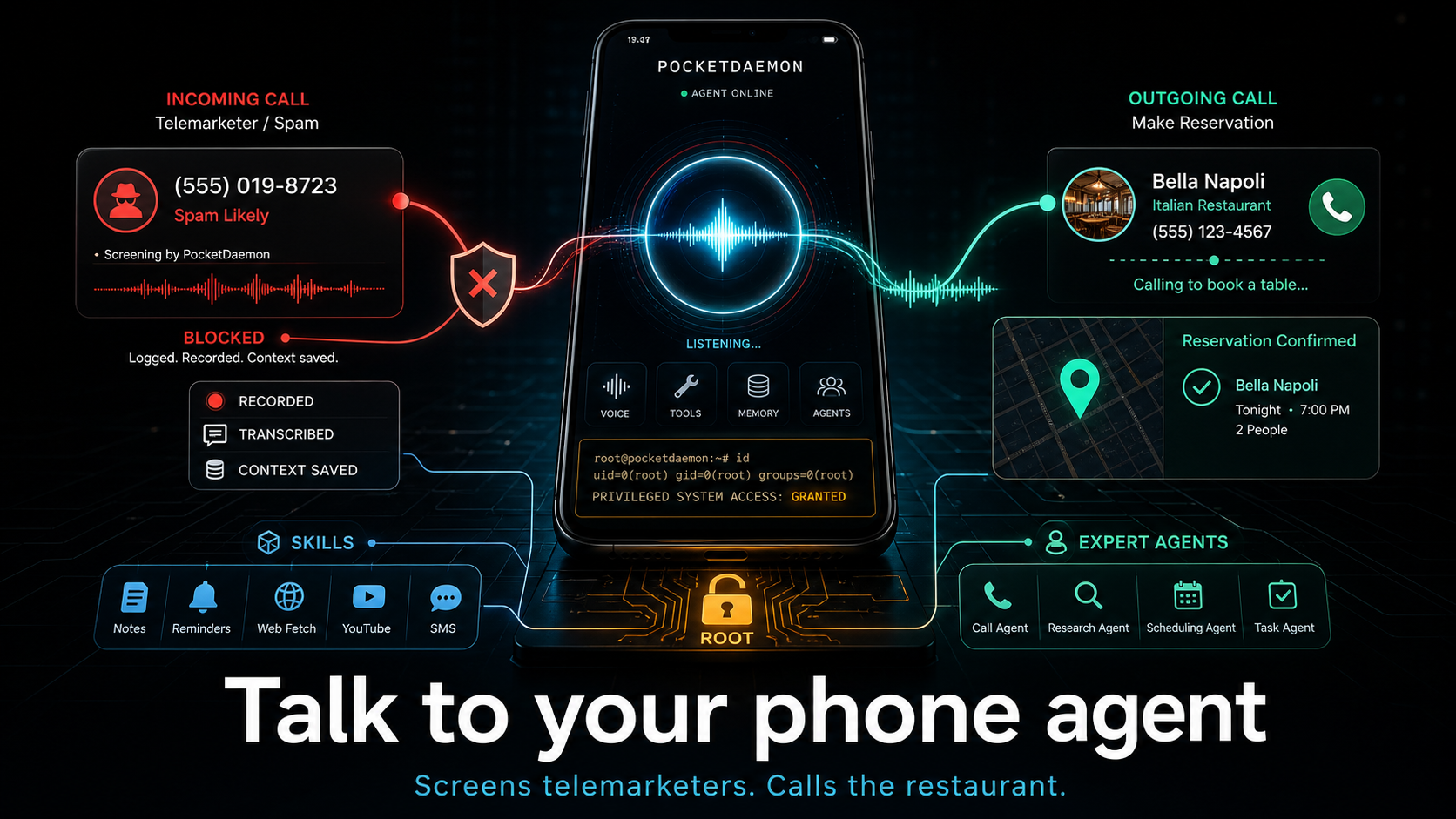
PocketDaemon moat
Magisk installation grants privileged access for call handling, telephony audio, permissions, assistant role, recordings, and system-level phone integration.
Full-duplex realtime voice, push-to-talk, phone-call conversations, barge-in, and audio-reactive state make the agent feel present before text becomes necessary.
Talk in the app or over phone calls instead of depending on Telegram, Discord, Slack, WhatsApp, or a plain HTTP bridge to reach a personal agent.
Android gives the agent battery life, radios, GPS, camera, speakers, mic, contacts, notifications, and a low-cost host you can dedicate to automation.
Public release
Public GitHub source for the Flutter app, Android services, Magisk module, and USB setup tool.
License MIT licensedOpen source and auditable, with the privileged Android surfaces documented in the repo.
Security Explicit risk modelSecurity policy, privacy notes, and threat model links are available before installation.
Install Rooted Android pathFollow the published install guide for Magisk, APK setup, and device configuration.
OpenClaw alternative
| Decision | OpenClaw-style setup | PocketDaemon |
|---|---|---|
| Agent host | Mac, Windows, Linux, server, or NAS. | A rooted Android phone with Magisk privileges. |
| Daily interface | Message the agent through third-party chat apps. | Speak directly, text in-app, or let the agent handle calls. |
| Native tools | Files, browser, shell, integrations, and remote workflows. | Calls, contacts, camera, location, notes, notifications, search grounding, and phone tools. |
| Security posture | Powerful local agent reached through external channel surfaces. | Dedicated phone host, no required chat bridge, local memory under /sdcard/PocketDaemon/. |
| Hardware cost | Often tied to your primary computer or always-on server. | Works toward the spare-phone model: cheap, battery-backed, portable, replaceable. |
What it can do
Act as an AI receptionist, route callers by trust tier, record sessions, and let you take over.
Start outbound phone calls from chat, bridge the agent into the call, then return to context.
Store memory, notes, logs, recordings, photos, config, and skills under /sdcard/PocketDaemon/.
Use Gemini Google Search grounding or xAI search, camera input, scheduled tasks, and skills.
Security honesty
PocketDaemon is not presented as a casual app-store assistant. It is research software for rooted Android devices, and its moat comes from exactly the permissions that must be treated carefully: call handling, recordings, location, contacts, phone tools, API keys, and local agent memory.
The safer communication model is practical, not magical: a dedicated phone host and direct voice/app surfaces reduce dependence on third-party chat channels and insecure HTTP control paths, while the security model remains auditable in the repository.
Review the security policyInstall path
Use a device and jurisdiction where privileged call handling and recording behavior is lawful.
Run Flutter, then create the Magisk zip with the repository build script.
Run doctor, install, setup, verify, backup, and restore from the USB configuration tool.
Questions
It targets the same desire for an agent that actually does things, but chooses a different home. PocketDaemon is optimized for Android-native voice, calls, local memory, and privileged phone actions.
Root and Magisk let PocketDaemon become a privileged system app, grant sensitive permissions, integrate with telephony, and enforce certain device settings without user prompts.
Yes. The core experience is voice, calls, and in-app chat. You do not need to expose the agent through Telegram, Discord, Slack, WhatsApp, or an insecure HTTP endpoint to talk to it.